Sum Calculator
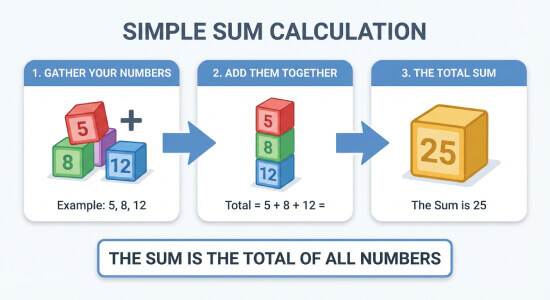
Add any list of numbers and get the total sum instantly. Paste values from a spreadsheet or type them in — separated by commas, spaces, or line breaks.
Calculation Examples

How to Use the Sum Calculator
Type or paste your numbers into the input field, using commas, spaces, or line breaks as separators. The calculator accepts positive integers, negative values, and decimals. Click Calculate to see three outputs immediately: the total sum, the count of recognized values, and the full addition equation showing every number that was processed.
The count output is especially useful for catching entry errors: if you pasted 20 values from a spreadsheet but the count shows 19, one entry was likely skipped due to a formatting issue. The itemized equation lets you cross-reference each number against your original source — important for financial auditing, where a single missing or misread value changes the total. If you need to start over, the Clear button resets the field completely. You can also set the decimal rounding (0 to 8 places) and choose a thousands separator format before calculating, so the result matches your reporting standard directly.
The Mathematics of Summation
Summation is the addition of a sequence of numbers. In formal mathematical notation, this is expressed using the sigma symbol: \[\sum_{i=1}^{n} x_i = x_1 + x_2 + \cdots + x_n\] where each \(x_i\) is an individual value and \(n\) is the total count of values. The result \(S\) is the total sum.
The calculator processes this using double-precision floating-point arithmetic (IEEE 754 standard), which is the same standard used in financial software and scientific computing. This ensures that decimal fractions do not accumulate rounding errors across long lists. The order of values does not affect the result — addition is both commutative (\(a + b = b + a\)) and associative (\((a + b) + c = a + (b + c)\)) — so you can paste numbers in any sequence and the total will be identical. For very long lists where manual addition is impractical, this calculator eliminates the sequential entry errors that cause totals to diverge from the correct figure.
Useful Tips 💡
- When pasting from Excel or Google Sheets, copy a single column — the line breaks between cells are recognized as separators automatically.
- Always check the count output against the number of entries in your source list. A mismatch means at least one value was skipped or misread.
- Remove currency symbols (€, $, £) and percentage signs before pasting. These are non-numeric characters and will cause the affected entry to be skipped silently.
📋Steps to Calculate
-
Type or paste your numbers into the input field, separated by commas, spaces, or line breaks.
-
Set your preferred decimal rounding and thousands separator if needed.
-
Click Calculate to see the total sum, item count, and full addition equation.
Mistakes to Avoid ⚠️
- Including alphabetical characters or symbols (currency signs, units like "kg" or "%") alongside numbers: the calculator skips unrecognizable entries without warning, reducing your count and understating the total.
- Mixing decimal separators: if some values use a period (3.14) and others use a comma (3,14) as the decimal point, the comma-format values will be misread as two separate numbers.
- Omitting negative signs: a value intended as -250 entered as 250 overstates the total by 500. Always include the minus sign immediately before the number with no space between them.
- Not clearing the field before starting a new calculation: leftover values from a previous session are included in the new total, producing a sum that combines two unrelated datasets.
Practical Applications📊
Financial auditing: Verify the total of expense report line items, invoice amounts, or account balances by pasting the values directly from a spreadsheet.
Scientific data: Sum experimental measurements, sensor readings, or trial results to find a total before computing a mean or other statistic.
Construction and logistics: Add material quantities, labor hours, or shipment weights from multiple entries to get a combined total for cost estimation.
Education: Check manual long-addition results against the calculator output to identify exactly where an arithmetic error occurred.